
What you can do with Looku
Each recipe below says what you get, what to turn on, and where the steps are. They all start from the same base: Looku installed and your site connected, which the tutorials take you through: 2. Your first installation and 3. Connect your site.
Pick by your question: how many people read my site (1), which link or post brings visitors (2), what sells (3), are my articles read (4), I don’t want to open a dashboard (5), I want to store as little as possible (6), I want the numbers elsewhere (7).
Recipes can be combined. site:modules sets the whole list of modules, so always name every module you want, for
example shop,campaigns,content; site:list shows the current ones. Turning a module on or off never deletes data.
Commands are run on the server in Looku’s deploy folder. myblog is your site’s id.
1. Just see how many people read my site
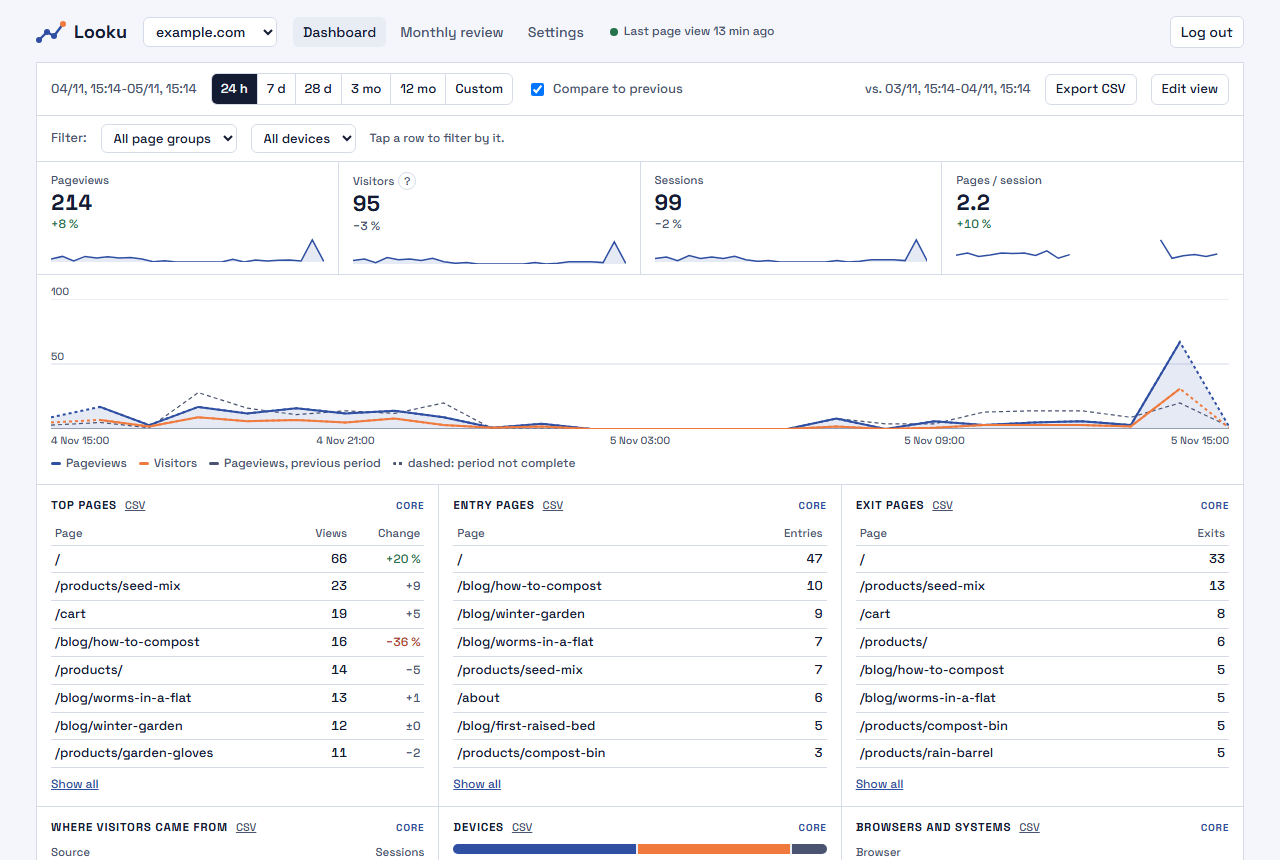
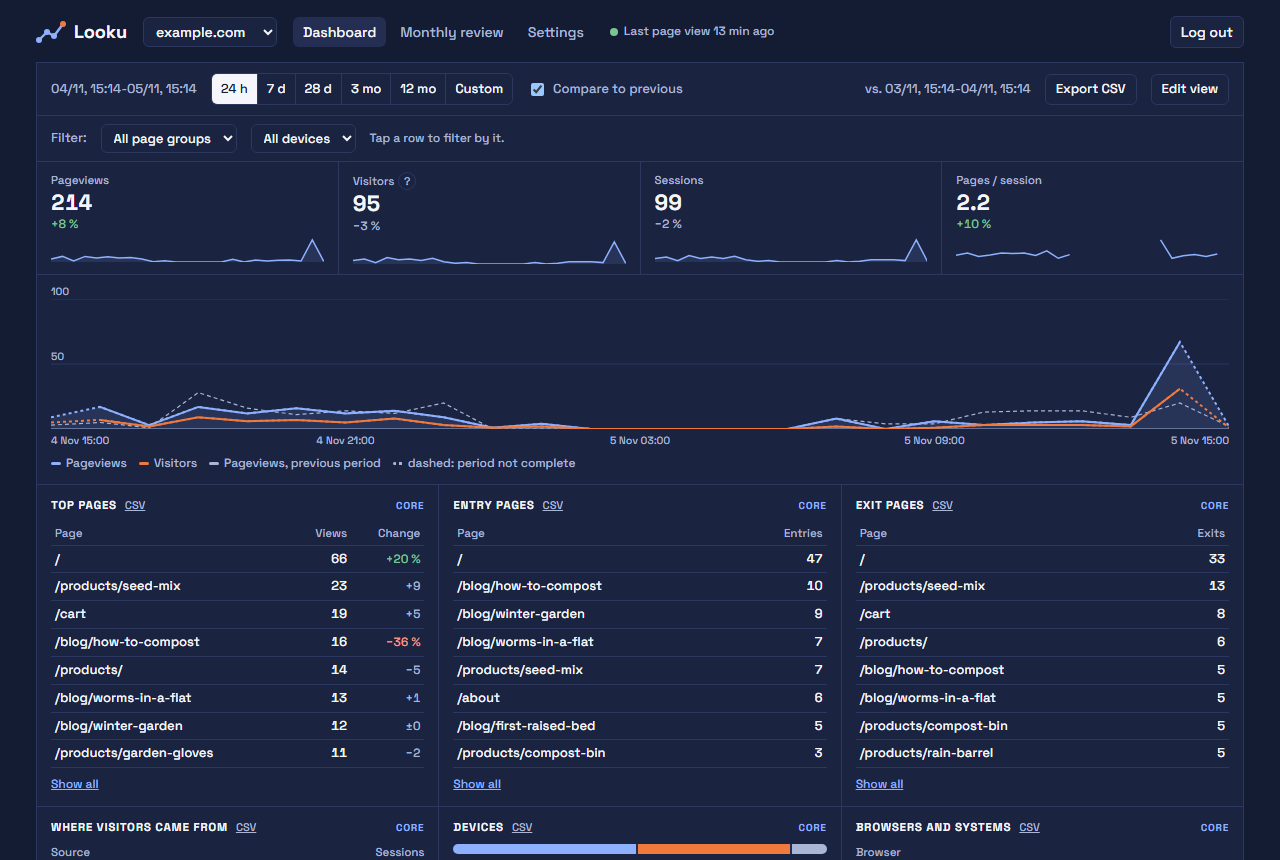
Section titled “1. Just see how many people read my site”You get: page views, visitors and sessions per day, the most viewed pages, where visitors come from (search engines, social media, other sites), devices, browsers and countries.
Turn on: nothing extra. This is what Looku does as soon as your site is connected.
2. Which newsletter or post brings visitors
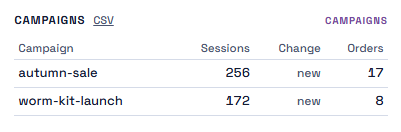
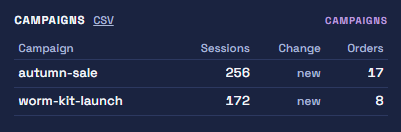
Section titled “2. Which newsletter or post brings visitors”You get: for each campaign, how many visits it brought, whether it is new or has ended, and (in a shop) how many orders came from it. Campaign names already appear in the basic numbers (Campaigns (UTM)); the module adds this card. Visits from before you turned it on are included.
Turn on: the campaigns module (add the others you use to the list):
docker compose run --rm ingest site:modules myblog campaignsThen: add a campaign tag to every link you share: ?utm_source=newsletter&utm_campaign=autumn-sale at the end of
the address (&utm_… if the address already has a ?). utm_source says where the link was (newsletter, instagram),
utm_campaign which campaign it belongs to. Use the same campaign name everywhere you share it.
3. What sells in my shop, and which campaign brought the sales
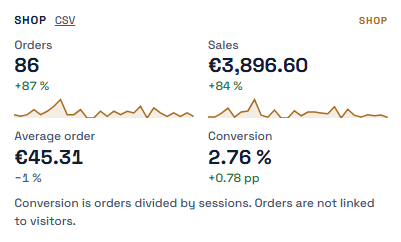
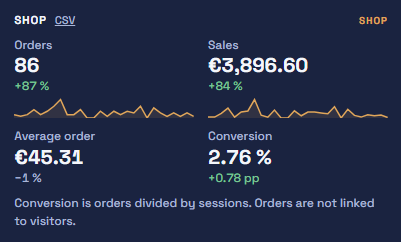
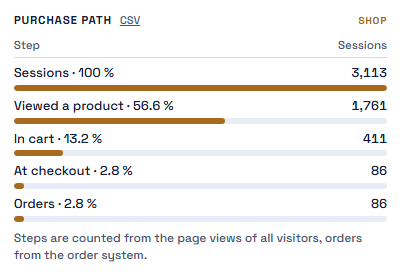
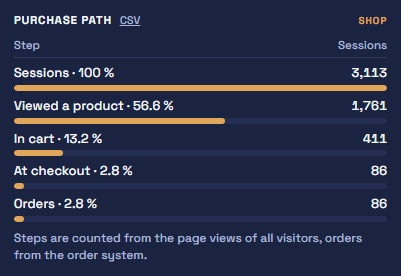
Section titled “3. What sells in my shop, and which campaign brought the sales”You get: orders, revenue, average order and conversion, best sellers, and the purchase path: how many visits got from a product page to the cart, to the checkout and to an order.
Turn on: the shop and campaigns modules:
docker compose run --rm ingest site:modules myblog shop,campaignsThen: send each paid order from your shop’s server with sendOrder, and set the shop’s paths in the dashboard’s
settings. The steps and a complete example are in Shop orders. Old orders can be
imported from a file.
4. Do people read my articles to the end
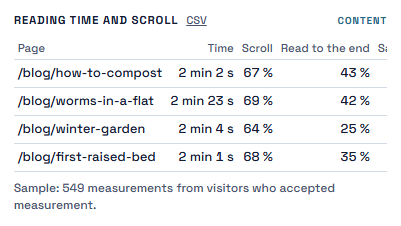
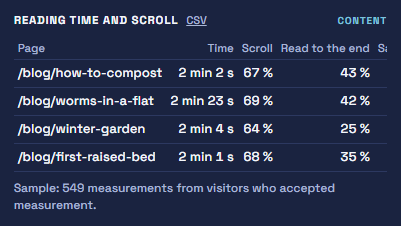
Section titled “4. Do people read my articles to the end”You get: for each page, the median reading time and how far down visitors scroll on average, plus pages that are rising.
Turn on: the content module (add the others you use to the list):
docker compose run --rm ingest site:modules myblog contentThen: reading time is measured in the visitor’s browser, so it needs the visitor’s consent. You add a small script that runs only after the visitor allows it. Steps: Browser collector and consent. The numbers are a sample from the visitors who allowed it.
5. A summary in my email every month
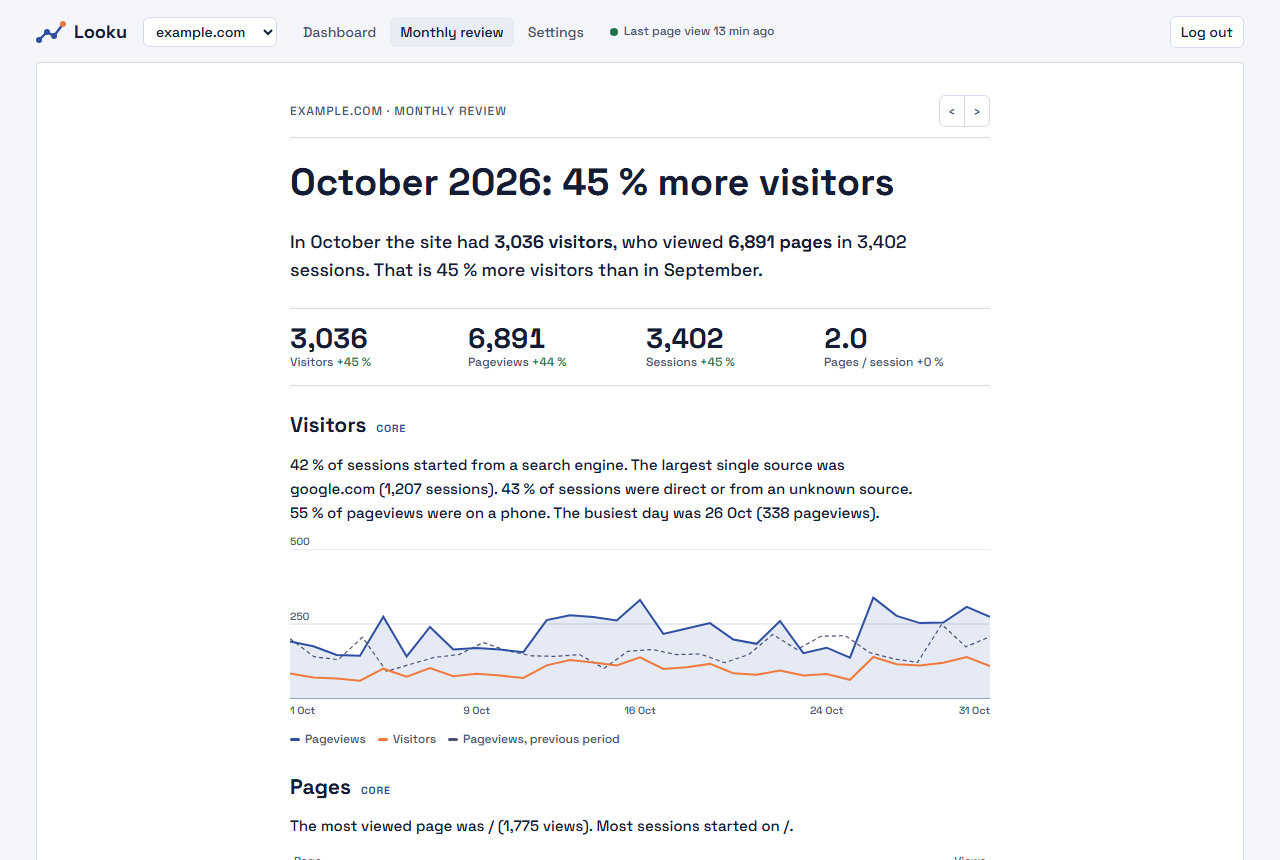
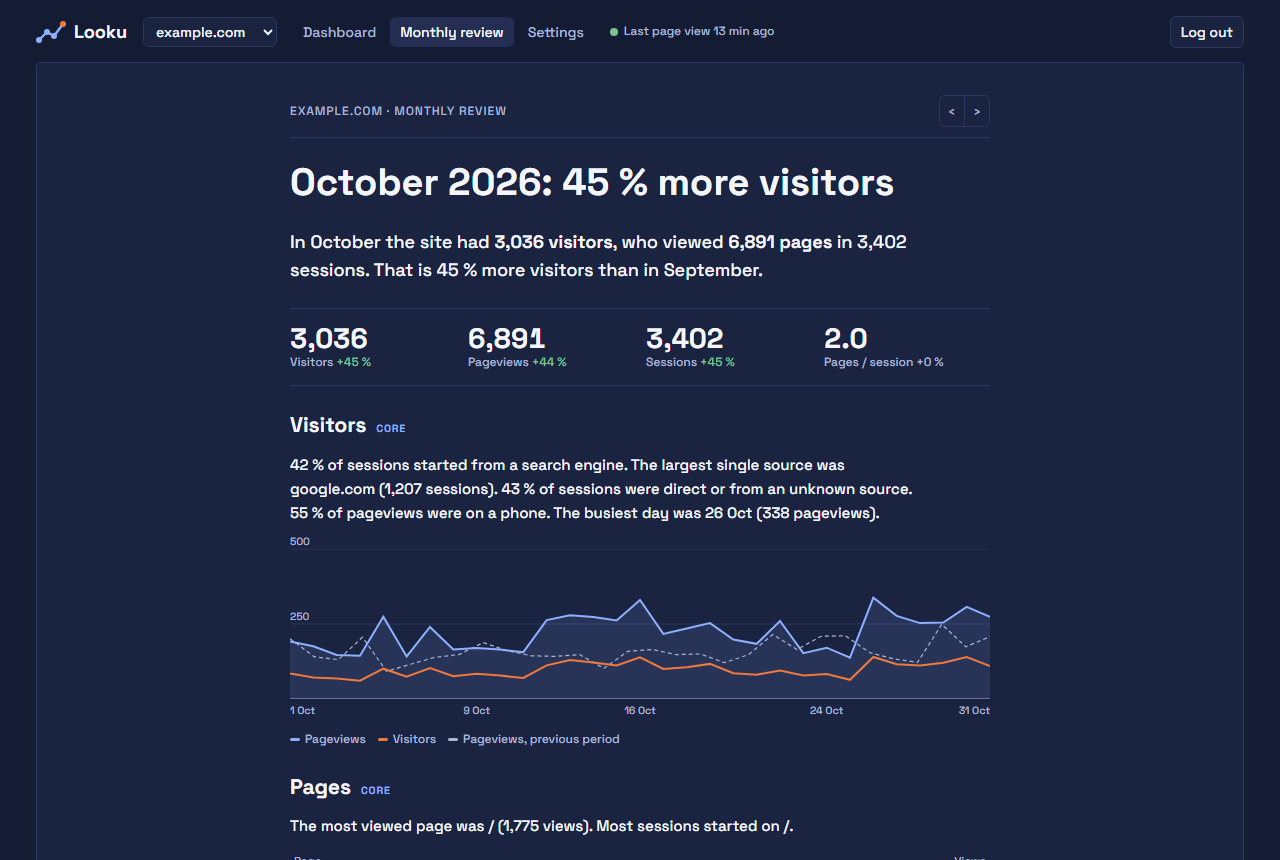
Section titled “5. A summary in my email every month”You get: on the first day of each month, an email that tells last month in sentences: visitors, where they came from and which pages rose. You do not need to open the dashboard.
Turn on: the email settings in Looku’s own .env file, in its deploy folder on the server. Your email
provider tells you its mail server (SMTP) address, port, user name and password; they go into one line:
LOOKU_SMTP_URL=smtps://user:password@smtp.example.com:465LOOKU_REPORT_FROM=looku@example.comLOOKU_REPORT_TO=you@example.comLOOKU_REPORT_LANG=enThen docker compose up -d, and look at next month’s email in advance with
docker compose run --rm ingest report:send --dry-run. See Settings.
6. As little data as possible
Section titled “6. As little data as possible”You get: page views per page, referrers, campaigns and devices, but no visitor or session counts, and no countries. Single page views are deleted sooner; after that only daily totals per page remain.
Turn on:
docker compose run --rm ingest site:visitors myblog offdocker compose run --rm ingest site:country myblog offdocker compose run --rm ingest site:retention myblog 3The first stops the daily visitor hash: every page view stands alone, so visitors, sessions, entry and exit pages and the purchase path disappear from the reports. The second stops storing the country. The third keeps single page views for three months. What this means legally is explained in Privacy and the law.
7. My numbers in Home Assistant or my own dashboard
Section titled “7. My numbers in Home Assistant or my own dashboard”You get: any number from the dashboard in your own tools, for example “page views in the last 7 days” as a Home Assistant sensor.
Turn on: a read-only key:
docker compose run --rm ingest token:create homeassistant --scope read --site myblogThen: in Home Assistant, install the Looku integration (ha-looku), which makes every site a device with its sensors. For other tools, follow the read API reference. Everything the dashboard shows is available through the same API.